Event brief
Summer birthday dinner
24 guestsOutdoorRelaxedDetroit
Private, practical event intelligence
Turn scattered dates, guest needs, budget context, venue questions, and must-have moments into a grounded run of show—with contingencies and next actions built in.
Designed for iPhone and iPad · Private on-device planning when supported · Current regional price shown by Apple
Verified product screens
These screens come from the same deterministic demo workflow used for the App Store submission—not a concept render or an invented customer story.
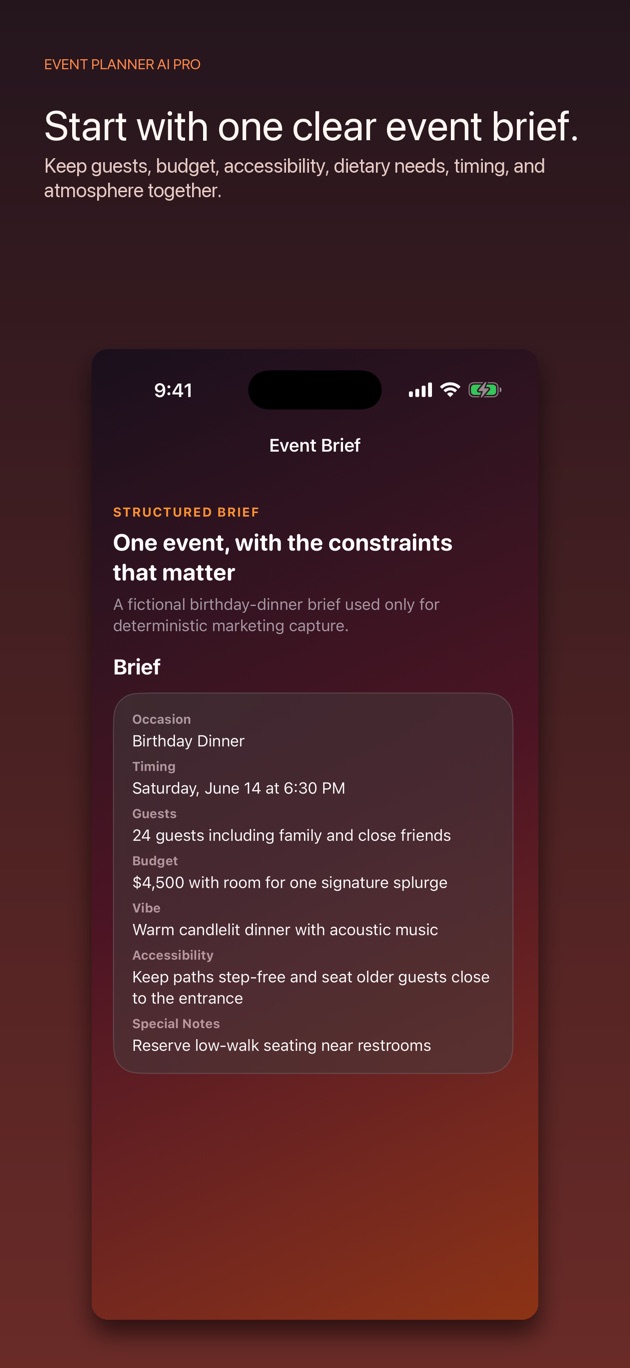
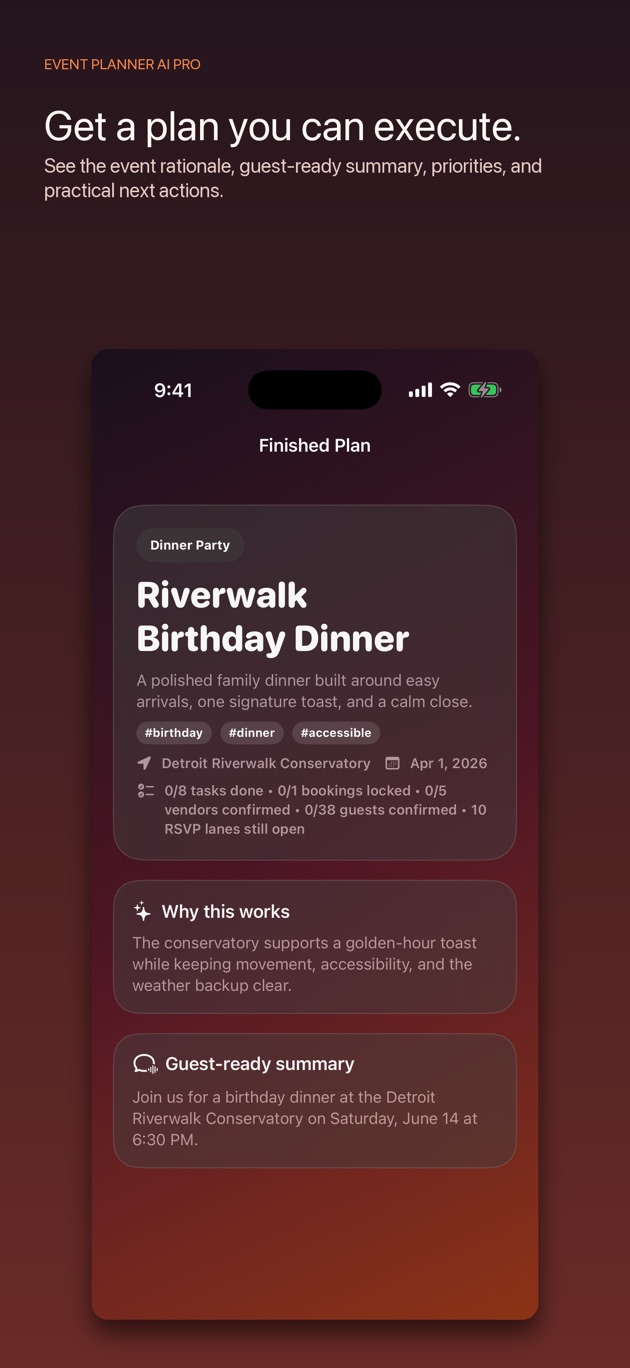
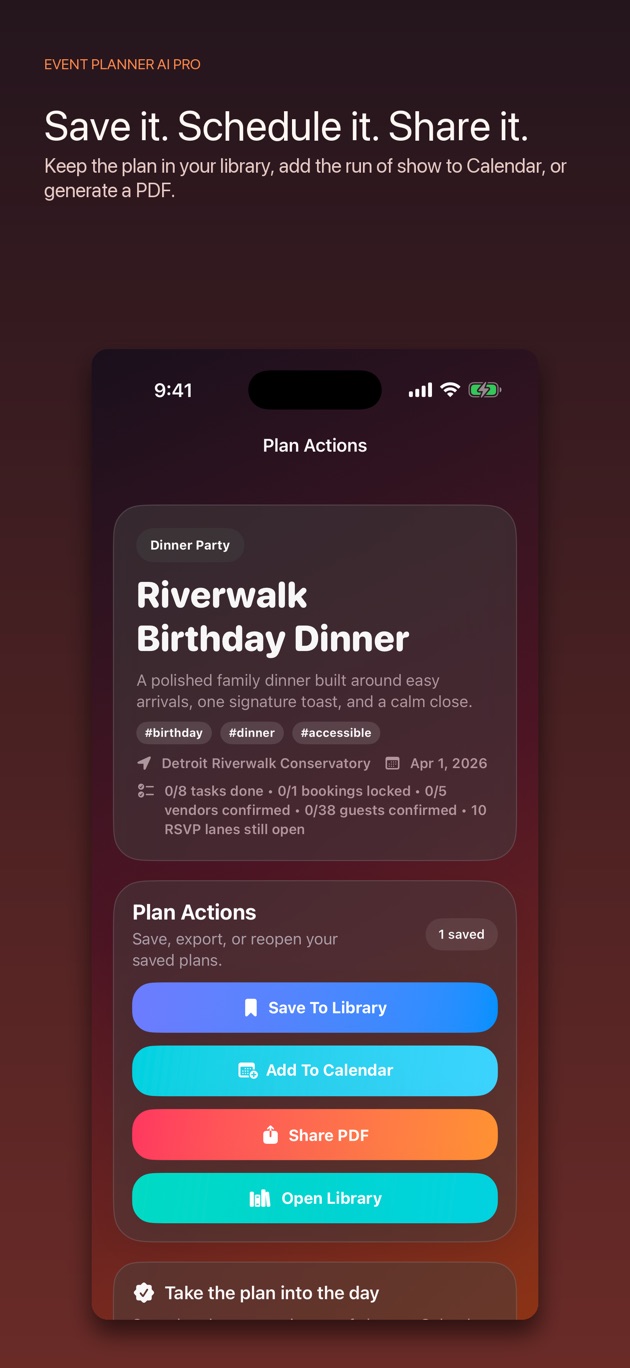
From idea to operation
Event Planner AI Pro keeps the brief, generated plan, grounded support, refinements, and handoff in one visible loop.
Capture the constraints that change the plan: people, place, timing, budget, access, food, atmosphere, and risk.
Get the run of show, priorities, alternatives, and next actions. Then ask for cheaper, simpler, safer, or more memorable.
Save it with the rest of your events, share a PDF, or put the summary and run-of-show items into Calendar.
Built for the day that actually happens
Every capability below is present in the shipping product. No invented productivity numbers. No imaginary testimonials.
Bring the date, place, guest mix, budget style, accessibility needs, and must-have moments into one planning surface.
Move beyond inspiration with timing, booking priorities, guest guidance, checklists, and concrete next actions.
Add venue ideas, route timing, parking context, and Calendar-aware date protection when you request it.
Protect the event with user-entered alternatives for timing, energy, accessibility, venue availability, and changing conditions.
Keep separate plans, compare active work, retain guest and vendor context, and return to the next decision.
Share a plan as a PDF or add its summary and run-of-show items to Calendar.
Calendar-grounded support
When you request it, the planner can read the relevant Calendar window, expose conflicts, and suggest open follow-up times. External actions remain staged until you approve them.
One honest App Store offer
Apple shows the exact version, regional price, and current availability before installation. Future free-download and Lifetime Ad-Free claims remain off this page until the matching binary is approved.
View the current App Store offerNo subscription is promoted here. The App Store listing is the source of truth for the offer currently available to buy.
Clear answers
Plan generation is designed around Apple intelligence on supported devices. The app also retains a deterministic planning path for the core workflow when generative intelligence is unavailable.
No. Weather-sensitive fields are planning notes and deterministic contingency prompts. Confirm live conditions with the venue and an authoritative source before acting.
The App Store shows the current regional download price and exact live offer before installation. This site does not advertise a subscription or claim that a future pricing change is already available.
A major update is being prepared around full planning access, protected paid-download customers, and an optional one-time ad removal purchase. Those claims activate only after the matching version is Ready for Distribution.
The next event is already coming
Start with one real brief. Keep the result only if it makes the event easier to run.